
Every finished piece of work I have produced in the last year started as a mess. A page of half-sentences. A voice memo I recorded in the car. A whiteboard photo with arrows going nowhere. If you are learning how to use AI as a beginner, the part nobody explains is what happens between that mess and a draft you would actually show someone. That gap is where most people quit, and it is the gap this post is about.
This is the ninth entry in The AI Test Log and the fourth in Workbench Skills. I use one main assistant and a second opinion for checking. I keep a paper log. I verify anything factual outside the chat. The process below is the one I now use for client deliverables, blog posts, workshop outlines, and the occasional difficult email, and it has held up across all of them.
Why a Messy Idea Is the Right Starting Point
What a Messy Idea Actually Is
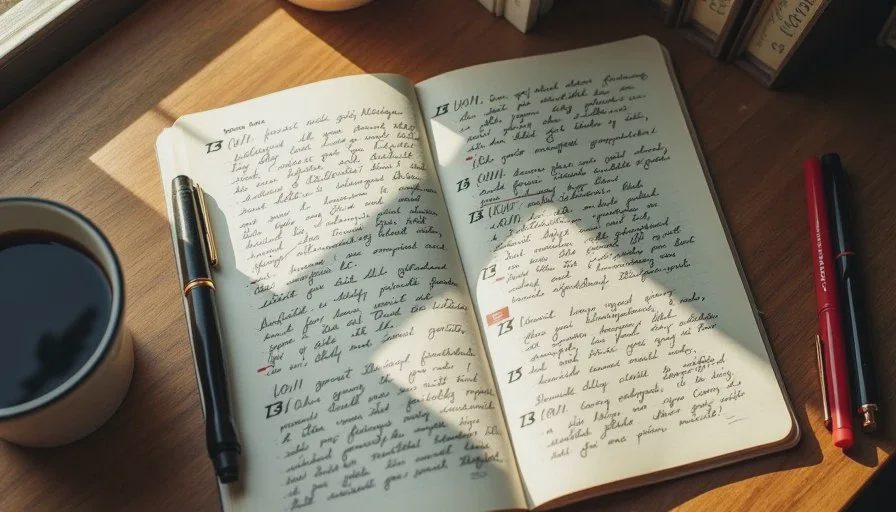
A messy idea is not a bad idea. It is an idea that has not been sorted yet. Mine usually look like a page of fragments with three crossed-out openings, two competing structures, and one sentence I like but cannot place. Sometimes it is a five-minute voice memo where I talk in circles until something clicks in the last thirty seconds.
The problem with a mess is not the content. It is the ordering. Ordering is also the part AI is genuinely good at, which is why this pairing works.
Why Most People Start Too Late
Most people I talk to open a chat window with a clean task: write me a blog post about X. Then they get a generic result and conclude that AI is overhyped. What they skipped is the transfer step, where the specific, messy, personal material actually enters the process. AI workflow examples rarely show this step because it is unglamorous. It is also the whole difference.
The Five Stages
Stage One: Dump Everything Without Judging It
I set a timer for eight minutes and write everything I know about the topic without stopping. No editing, no reordering. If I am working from a voice memo, I let the transcription run and paste it whole, mistakes included.
The rule is simple. During the dump, I do not look for the point. The point shows up later, and it is usually not where I expected.
Stage Two: Ask for Groupings, Not a Draft
This is the step that changed my results. Instead of asking for a finished piece, I paste the dump and ask for one thing: group these fragments into themes and give me a short label for each group.
No prose. No introduction. Just groupings and labels. In about ninety seconds, I get four to seven clusters, and I can see which fragments belong together and which one is an outlier.
That outlier is usually the most interesting sentence on the page, and it is usually the thing I would have cut if I had started writing immediately.
Stage Three: Pick the Spine by Hand
I choose the structure myself. AI can sort, but the spine of a piece is a judgment about what the reader needs first, and that judgment belongs to me.
I write the order on paper as a list of five to seven short phrases. Then I check it against one question: does each item earn its place before the next one? If two items could swap without consequence, one of them is probably filler.
This is also where I decide the point. A draft without a point is a summary, and summaries do not help anyone.
Stage Four: Draft Section by Section, Not All at Once
I do not ask for the whole piece in one request. I ask for one section, give it the fragments for that section, and say what the section needs to accomplish.
Three reasons. First, a wrong section costs two minutes to fix instead of twenty. Second, short requests keep the model from padding. Third, I stay in the material instead of scrolling past a long answer I did not read carefully.
For each section I include three things in the request: the fragments from my dump, one sentence about what the reader should take away, and one example of my own writing so the register stays mine.
Stage Five: Read It Out Loud and Rewrite by Hand
The final stage is mine. I read the assembled draft out loud, all of it, and mark every place I stumble, every sentence that sounds like a brochure, and every claim I cannot back up.
Then I rewrite those parts myself. On a typical piece, I rewrite between a third and a half of the sentences. That sounds inefficient. It is faster than starting from a blank page, and the result actually sounds like me.
A Real Walkthrough
The Workshop Outline
I used this process last month to build a two-hour workshop outline for a small business group. My dump was a page of fragments from three client conversations, a voice memo from a walk, and two notes I had written on receipt paper.
The groupings came back as five themes, one of which I had not planned on including: the fear of looking foolish while learning in front of employees. That theme became the opening section because it was the real blocker, not the technical content.
The spine took me about ten minutes on paper. Section drafting took four requests over two evenings, about twenty minutes each. The out-loud read caught three places where I had written in a register I would never use with that audience. Total time from mess to finished outline: roughly three hours spread across three days. Writing it from scratch would have taken me a full day, and the opening would have been worse.
The Difficult Email
A smaller example. I had a client issue I needed to address in writing and I was angry. I dumped what I actually wanted to say, asked for groupings, and immediately saw that my message had two separate requests tangled together. I split them into two emails, sent the harder one a day later, and the whole thing resolved without friction.
The value there was not the wording. It was the sorting, and sorting is the least glamorous thing AI does well.
What AI Does Not Do in This Process
It does not find the point. It groups and labels, and the point comes from me looking at the groups and deciding what I actually believe.
It does not supply facts. Anything in the draft that is not from my own dump is a candidate for a hallucination, and I mark those before they reach anyone else.
It does not write in my voice. I supply one example of my own writing per section and still rewrite on the out-loud read. Tone drifts, and I have stopped expecting otherwise.
It does not decide what to cut. Editing is the part where judgment shows, and I keep it.
Pitfalls I Hit
Asking for the Whole Draft Too Early
My first attempts went straight from dump to finished post. The output was fluent and empty. The sorting step is what fixed it, and skipping it is the most common version of this mistake.
Giving the Assistant No Fragments
If you paste a topic instead of your own material, you get a generic article. The fragments are the fuel. If you have no fragments, you do not have a draft yet. You have a topic, and that is a different problem.
Trusting the Group Labels Blindly
Twice the model put two fragments together that did not belong, and both times it was because the words were similar rather than the ideas. I check each group by reading the fragments inside it. Labels are cheap. Reading is not optional.
Letting the Draft Get Long
A section that runs long usually means I gave a vague instruction. When a section balloons, I stop and rewrite my request instead of editing the output.
What Still Needed Human Judgment
Every decision about what the piece is for and who it is for. The model has no idea whether a reader is a hiring manager, a customer, or a colleague, and the same content needs different treatment for each. I supply that, and when I get it wrong, the draft fails no matter how clean the prose is.
I also keep the final read. If a sentence sounds like a press release, it goes. That single check catches more problems than any other habit I have built.
Cost and Time
One subscription, plus a second for checking facts. Time comparison on a recent 1,200-word blog post: about three hours with this process, roughly seven to eight hours starting from scratch and drafting alone. The sorting step alone saves most of that, because it prevents the wandering that happens when you write without a spine.
Final Verdict
Keep it.
This is the process I would teach first if someone asked me how to use AI for real writing work, because it does not require prompt tricks and it does not pretend the tool is doing the thinking. Dump, group, choose the spine, draft by section, read it out loud and rewrite. The mess is the raw material, and the judgment stays with you.
Take it apart first. Then ask AI.

No comments yet — be the first to share a thought.