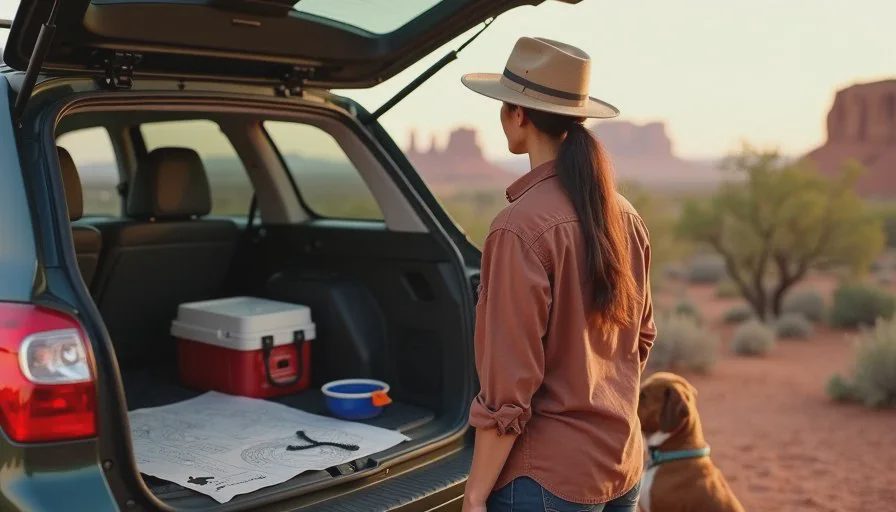
I planned our last dog-friendly road trip with AI, and the first thing I want to say is that the spreadsheet almost won. Somewhere in the middle of planning, I had a tab for campgrounds, a tab for drive times, a tab for dog rules, and a tab I cannot explain. That is the trap with trip planning tools. They make it easy to keep planning instead of leaving. So I deleted three tabs, kept one page, and drove to Moab with Jordan, Biscuit, and a cooler.
This is the sixteenth entry in The AI Test Log and the first in the Life Tests column. Earlier in this log I tested AI on a three-day Colorado camping trip and it went reasonably well with guardrails. This one was longer, crossed a state line, and involved a dog who does not enjoy long drives. Different trip, different failures.
Why I Wanted AI for This Trip
The Dog Changed Everything
Biscuit is a forty-five-pound rescue mutt. He is fine in the car for about two hours and then he starts a slow campaign of sighs that escalates into standing on the center console. That one fact reshaped the entire route. Two-hour legs, not four. A real stop with shade every time, not a gas station pull-through.
A dog-friendly road trip is not a normal road trip with a dog added. It is a different itinerary with different math, and the math is the thing I keep getting wrong on my own.
What I Actually Wanted From the Tool
I did not want a day-by-day schedule. I wanted three things: a route broken into two-hour legs with real stops, a list of campgrounds and motels that take dogs without surprise fees, and a short list of places where a dog cannot go, so I would stop discovering that at the gate.
That is a bounded, practical request. It is also the version of AI for travel planning I have had the most success with, because it is about structure and questions rather than bookings.
What I Did Not Want
I did not want a packed itinerary. I did not want a list of twelve attractions. I did not want a plan that assumed we would be efficient. Vacations are not efficient, and a plan that ignores that is a plan I will abandon on day two.
The Problem With Normal Trip Planning
The Spreadsheet Prison
I have built the spreadsheet before. Tabs for lodging, tabs for food, tabs for drive times, color coding, a column for cost. It took an entire Sunday. We used about a third of it, and I spent part of the trip checking the spreadsheet instead of looking at the view.
The problem was not the planning. It was that the plan had become a document I felt obligated to follow.
The Dog Rules Problem
Dog rules are scattered and inconsistent. A campground allows dogs but not on the trail. A motel is pet-friendly but charges per night. A restaurant has a patio that allows dogs, except during a specific season. A national park allows dogs on some paved paths and almost nowhere else.
Finding those rules one at a time is the tedious middle layer that ate my evenings. That is exactly the layer I wanted AI to help with, and it is also the layer where it turned out to be least reliable.
The Setup: One Page, Three Questions
What I Gave the Assistant
I typed a short brief. Denver to Moab and back, five days, two adults, one forty-five-pound dog, a 2012 Subaru Outback, car camping two nights and a motel two nights. Drive legs no longer than two hours. No long hikes. One dinner out. A grocery stop on the way.
I also said what I did not want: no twelve-item attraction lists, no per-hour schedules, no cost estimates I had not asked for.
The Three Questions I Actually Asked
First: split this route into two-hour legs and name one real stop per leg with shade and a place to walk. Second: list campgrounds and motels along this route that allow a forty-five-pound dog, with the pet policy for each. Third: list the places along this route where dogs are not allowed.
Those three questions produced everything useful in the whole trip plan.
What I Left Out
I did not give it my address, my license plate, my payment details, or our exact dates. None of that is needed for a planning task, and it is a habit worth keeping.
What Worked
The Two-Hour Leg Structure
This was the best output of the test. The assistant broke the drive into legs with named stops, and most of them were genuinely good. A rest area with a shaded picnic table. A small town park with grass. A gas station with a wide side lot and no traffic.
The route shape was right, and the legs were short enough that Biscuit never hit the sighing phase. That single structural decision made the whole trip better.
The Question List for Lodging
The assistant could not reliably tell me whether a specific motel allowed dogs. What it could do, and did well, was give me the questions to ask when I called: weight limit, pet fee per night, breed restrictions, whether the dog can be left alone in the room, and whether the pet fee is refundable.
I called four places. Two had a weight limit that would have excluded Biscuit. One had a pet fee that was not on the website. One was exactly what it said it was.
The tool did not answer the question. It built the question, and that turned out to be more useful.
The Bad-News List
This was the second-best output. A list of places along the route where dogs are not allowed, including specific trails and one scenic drive. Knowing where not to go saved us two wasted hours and one disappointed dog.
The Grocery Stop
Small thing, real thing. The assistant named a grocery store with a real parking lot in a town where I had planned to guess. That one suggestion saved me twenty minutes of driving in circles.

What Failed
Campground Availability
This is the recurring failure from the earlier camping test and it showed up again. The assistant named campgrounds along the route without noting that reservations open months ahead on a rolling window. Two of the three it suggested were full for our window. Availability is a live-data problem and I should stop asking.
A "Dog-Friendly" Trail With a Seasonal Rule
One suggested walk was described as dog-friendly. The actual rule allowed dogs outside nesting season. We were inside it. We found a different path and it was better, but only because I checked the land management page the night before.
A Motel That Had Changed Its Policy
One of the named motels had changed its pet policy since the assistant's information was current. I caught it on the phone call. This is the same failure mode as the campground. Anything that can change needs a call.
The Cost Estimate I Did Not Ask For
I specifically said no cost estimates. It gave me one anyway, and it was off by about a third because it did not know my gas mileage or the current price at the pump. I ignored it. This is a small example of a larger habit: the model fills requests you did not make, and you have to notice.
What Still Needed Human Judgment
Every booking call. Every rule check. Every decision about whether a stop was actually good for Biscuit, which is a judgment about a specific dog that no model shares.
I also kept the decision about pace. The assistant produced a five-day plan that was technically achievable. On day three I cut one stop because we were tired and because Biscuit had been in the car enough. That call was mine.
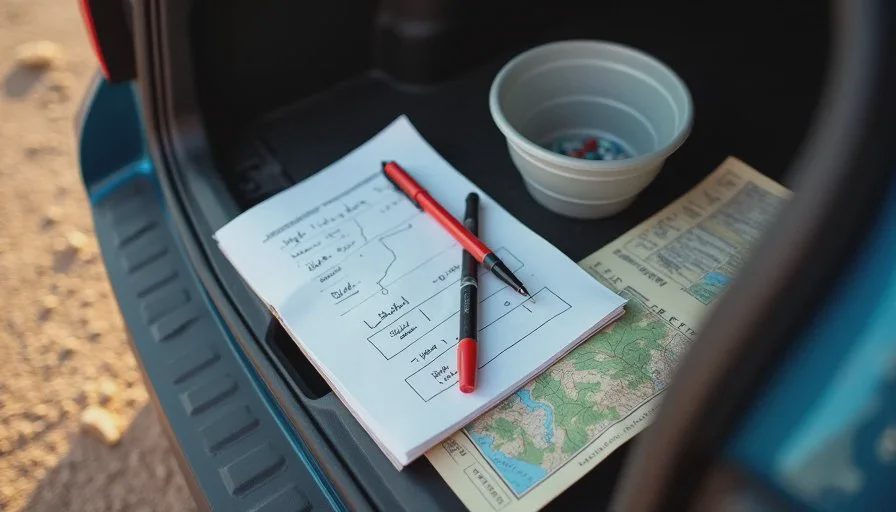
And I kept the decision about the spreadsheet. One page, three columns, handwritten. No tabs.
What I Would Do Differently
I would ask for the leg structure and the question list first, and skip the campground names entirely. Names of places are the part I cannot verify quickly, and the part I least need from a model. What I need is the shape of the day and the right questions to ask.
I would also start the phone calls a week earlier. Two of the four places I called were booked by the time I reached them.
Cost and Time
AI cost: nothing beyond my existing subscription. Planning time: about forty minutes across two evenings, down from a Sunday spent in a spreadsheet. Time saved on the road: hard to measure, but the two-hour legs and the grocery stop were both real wins. Time lost to verification: about thirty minutes of phone calls and land management page checks, which I would have spent anyway and which caught two real problems.
Final Verdict
Useful with guardrails.
For route structure, stop suggestions, and the question list I take into a phone call, AI earned its place on this trip. For availability, current pet policies, and any rule that can change by season, it stayed a starting point and nothing more. The one-page plan worked. The spreadsheet did not come with us.
Take it apart first. Then ask AI.


No comments yet — be the first to share a thought.